Updated on: May 27, 2026
3 min read
Monitor, manage, and orchestrate AI workflows
Explore the GitLab Duo Agent Platform AI management capabilities. Monitor activity through sessions, trigger workflows with event-driven automation, and manage your AI-powered development processes.


Welcome to Part 6 of our eight-part guide, Getting started with GitLab Duo Agent Platform, where you'll master building and deploying AI agents and workflows within your development lifecycle. Follow tutorials that take you from your first interaction to production-ready automation workflows with full customization.
In this article:
- Introduction to AI management capabilities
- Managing agents in your project
- Managing flows in your project
- Setting up event-driven triggers
- Monitoring flows activity with sessions
🎯 Try GitLab Duo Agent Platform today!
Introduction to AI management capabilities
The AI management capabilities are your central hub for managing AI workflows in GitLab. They provide visibility into agent and flow activity, and enable event-driven automation.
Navigate to Project > AI.
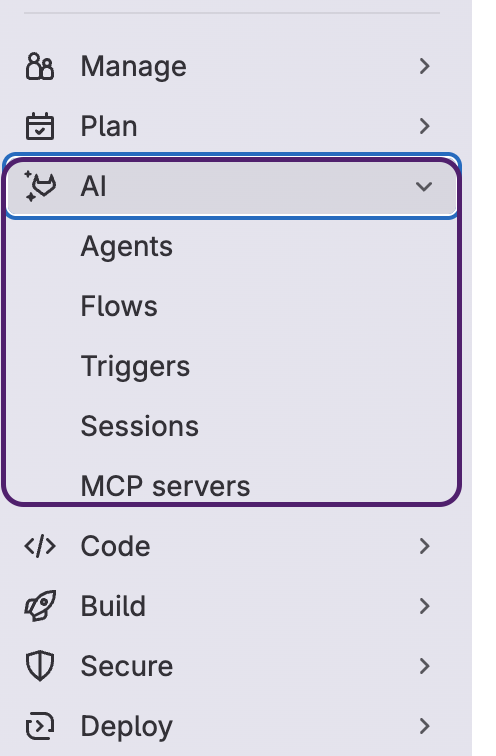 AI menu showing Agents, Flows, Triggers, Sessions, and MCP Servers
The AI menu provides these main sections:
- Agents: View, create, and manage agents in your project
- Flows: View, create, and manage flows in your project
- Triggers: Configure event-based automation for flows
- Sessions: Monitor agent and flow execution with detailed logs
- MCP Servers: View MCP servers associated with the agents enabled in your project
Managing agents
Navigate to AI > Agents.
The Agents section gives you full visibility and control over agents in your project:
- Enabled: See which agents are currently enabled and available in your project
- Managed: View and edit agents created and owned by your project
- AI Catalog: Search for agents published in the catalog and enable them in your project
For details on creating custom agents, see Part 3: Understanding agents.
Managing flows
Navigate to AI > Flows.
The Flows section gives you full visibility and control over flows in your project:
- Enabled: See which flows are currently enabled and available in your project
- Managed: View and edit flows created and owned by your project
- AI Catalog: Search for flows published in the catalog and enable them in your project
For details on creating custom flows, see Part 4: Understanding flows.
Setting up event-driven triggers
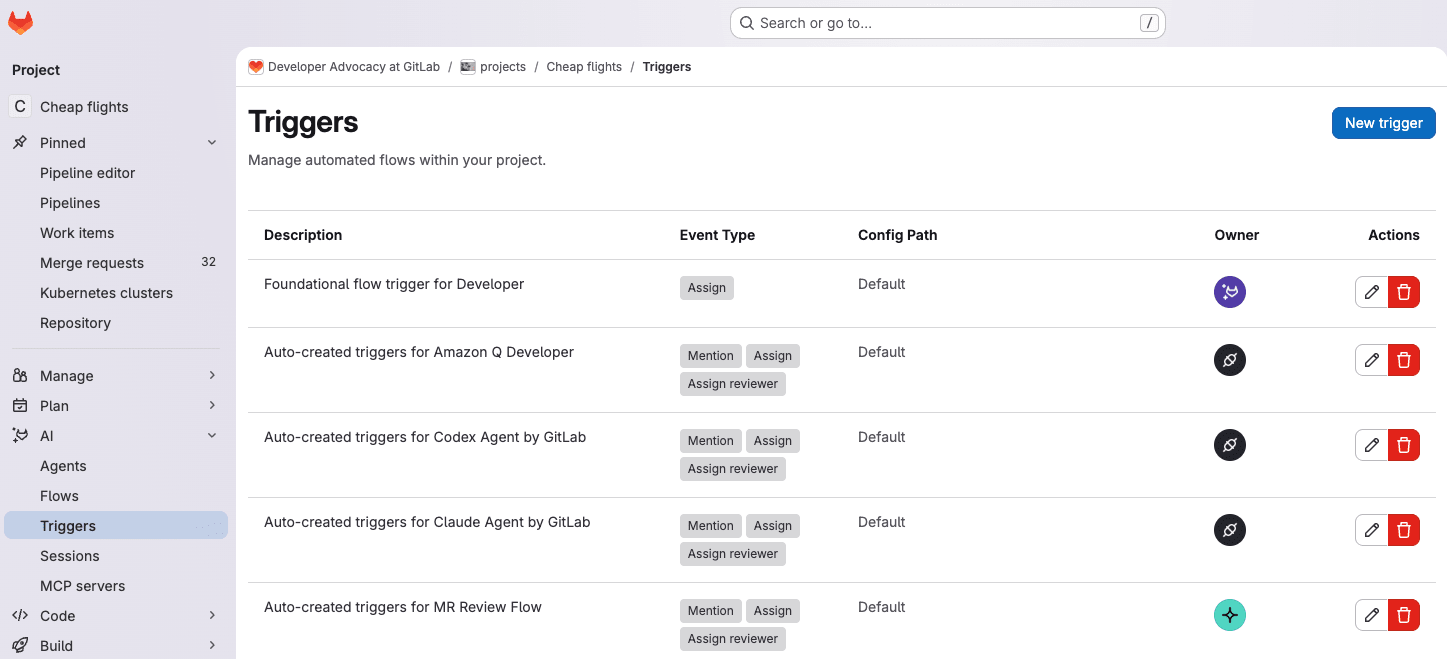 Overview of auto-created triggers
Triggers enable event-driven automation by automatically executing agents or flows when specific GitLab SDLC events occur.
Navigate to AI > Triggers.
Available trigger event types:
- Mention: Mentioned in a comment, for example,
@ci-cd-optimizer. - Assign: Assigned to an issue or MR, for example, in the UI or quick action
/assign @ci-cd-optimizer. - Assign Reviewer: Assigned as MR reviewer, for example, in the UI or quick action
/assign_reviewer @ci-cd-optimizer.
How triggers work:
- Event occurs (e.g.,
@ci-cd-optimizermentioned in MR comment) - Trigger identifies the flow to execute
- Flow runs and starts a session
- Results posted back to the issue/MR
For setup instructions, see the Triggers documentation.
Monitoring with sessions
Sessions provide transparency into agents and flows execution, including reasoning, executed tools, and outputs. Every run creates a session with an activity log.
Navigate to AI > Sessions.
Sessions show:
- Execution status (Created, Running, Finished, Failed, Input Required, and more)
- Step-by-step progress and actions taken
- Agent reasoning and decision-making process
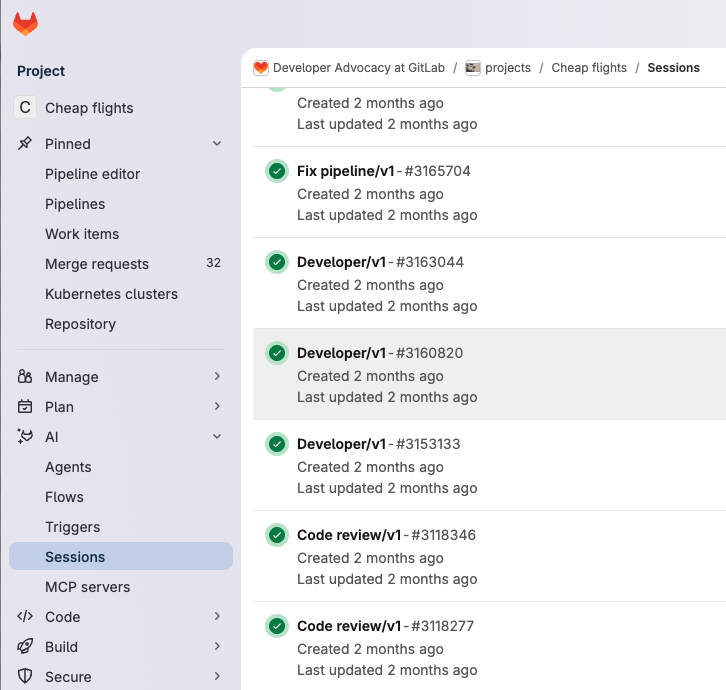 Sessions overview showing execution status and progress
For more details, see the Sessions documentation.
What's next?
You now understand how to monitor agent and flow activity through sessions, set up event-driven automation with triggers, and manage your AI workflows from the AI management capabilities. Next, learn how to extend GitLab Duo with external tools and data sources in Part 7: Model Context Protocol integration.
Resources
Next: Part 7: Model Context Protocol integration
Previous: Part 5: AI Catalog

More to explore
View all blog posts


We want to hear from you
Enjoyed reading this blog post or have questions or feedback? Share your thoughts by creating a new topic in the GitLab community forum.
Share your feedback